
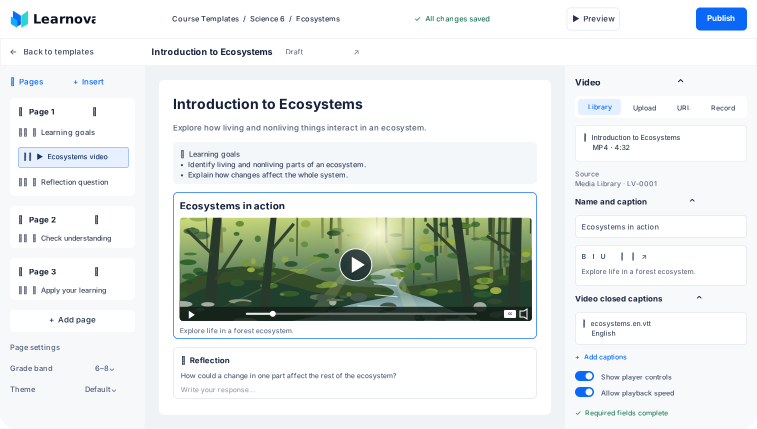
One Workspace for Course Authors
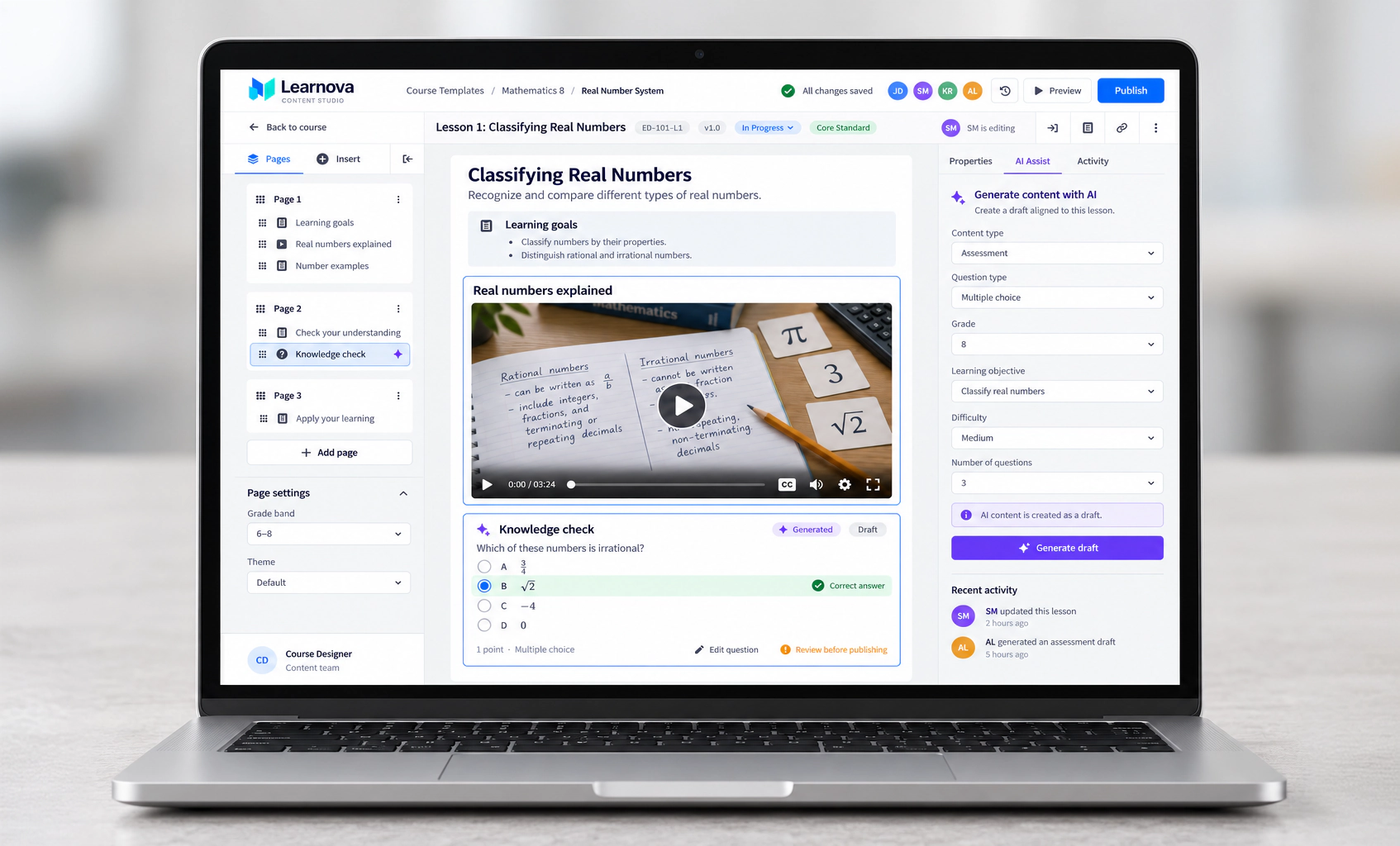
Build lessons with reusable components and a live settings panel. Preview the learner experience and see who is editing as teams work together.
United Solutions designed a custom learning content management system (LCMS) for a K–12 education provider, connecting lesson authoring, reusable media, assessments, and controlled publishing in one platform.
Education · K–12 & Corporate · United States
Keep course content consistent as lessons, standards, and classroom needs evolve.
Learnova connects reusable templates, shared media, and version history, helping authors coordinate updates and control when changes reach linked courses.
Documented product and design scope.
14 question types
Audio, video, sketchpad and more
4 grade-band themes
K–2, 3–5, 6–8 and 9–12
7 upload workflows
Guided workflows for media and files
62 design pages
Across four platform design files
Five connected stages, with control at every step.
Lesson draft prepared
Standards, points, and hints
Build lessons with interactive questions. Set standards, points, and hints as you create.
Required details checked
Question configuration reviewed
Identify missing answers, incomplete options, and configuration issues before publishing.
Content ready for release
Staggered or mandatory updates
Schedule staggered releases and apply mandatory updates when required.
Course templates updated
Progress tracked item by item
Sync individual changes or complete units to connected course templates.
Lessons ready for learners
Presentation tailored by grade
Deliver lessons through the learning platform, with presentation tailored by grade.
Build lessons with reusable components and a live settings panel. Preview the learner experience and see who is editing as teams work together.
Search media by grade, subject, standards, and keywords. Keep source and licensing details attached, with drafts separate from the published library.
Add captions and image descriptions as content takes shape. Question validation supports review, while grade-band themes tailor presentation to different ages.
Bring your curriculum expertise into a platform your teams can use every day. United Solutions connects product strategy, custom eLearning software development, and quality engineering.

Define authoring roles, content ownership, reuse, and release workflows around your organization.
Connect course authoring, media, assessments, and curriculum updates in one consistent experience.
Connect authoring with learner delivery. Test workflows, accessibility, and publishing behavior across the platform.